
My latest blog entries, wiki reference articles, photo albums and this site's most popular content are listed in the right column.
The most recent site pages are summarised below - click 'Read more' to view the full article.
Update
Fri, 21/08/2015 - 11:40 — balintHi again,
I've taken the next step in the world of radio, and joined Bastille Networks as the Director of Vulnerability Research.
We'll be hacking all the (RF) things, and securing the enterprise from wireless threats (in particular from the Internet of Things).

Update
Sun, 06/07/2014 - 03:05 — balintThanks for dropping by. I haven't updated this part of the site in a very long time, so I thought I'd post a quick one:
|
In mid-2012 I moved to the U.S. to work at Ettus Research where I could continue experimenting with Software Defined Radio, and am currently the "Applications Specialist and SDR Evangelist". |
 |
I like to spread the word about SDR. For example: I will be speaking at Black Hat US 14, I have spoken at DEF CON 21, Ruxcon 2011, and the past few GNU Radio Conferences. Some other fun experiences include delivering a week-long SDR lab at the School on TV Whitespaces/SDR Workshop held at the ICTP, Trieste, Italy in early 2014, a talk at an iSec Open Forum evening, and a lecture to EE-123 students at UC Berkeley. For a complete list, check out the Presentations wiki page.
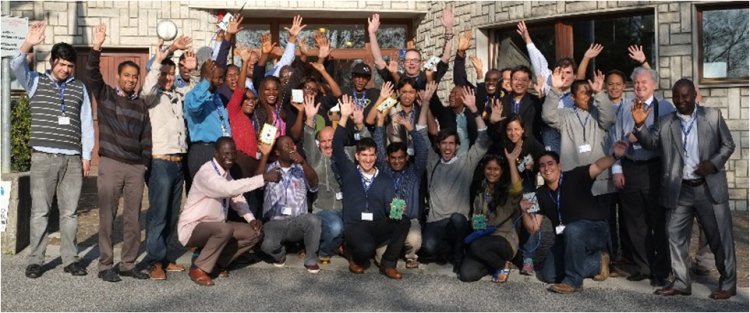
Last day of labs at the School on Applications of Open Spectrum and White Spaces Technologies, ICTP, Trieste, Italy.
If you would like to get more regular updates, please follow me on Twitter: @spenchdotnet
An example of a video I made for work:
For more information see the blog post.
I'm fortunate enough to be helping out the ISEE-3 Reboot Mission as the 'radio guy' (Communications Engineer), part of the Mission Control team. I oversaw the set up and use of USRPs at the Arecibo Radio Observatory to make first contact with the space probe after 36 years, and now do the same remotely for each of our 'supports'.
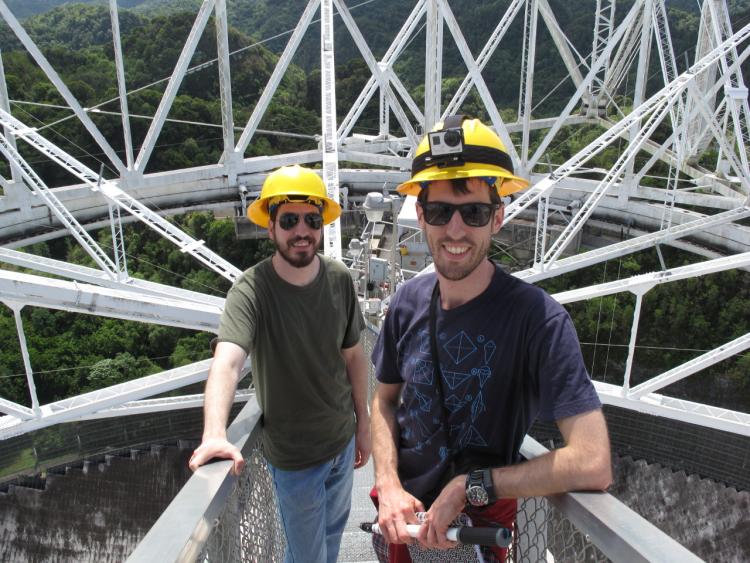
See the gallery for all pictures.
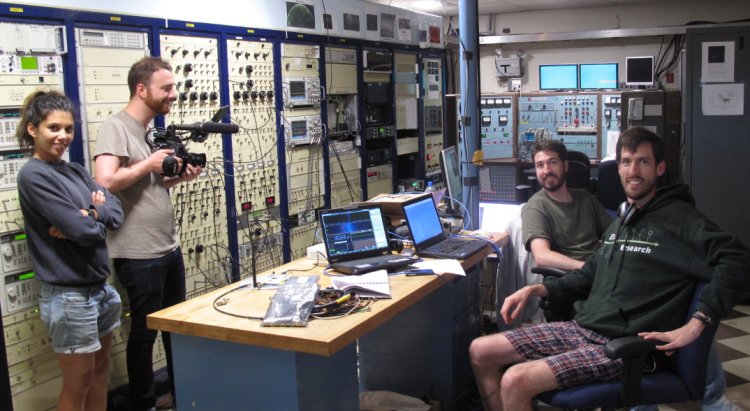
See the Arecibo Uncut playlist for all videos.
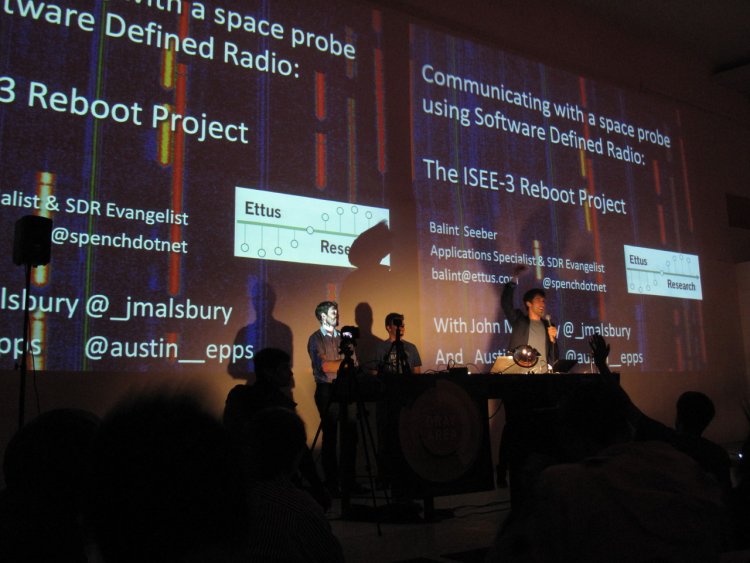
Software Defined Radio
Sun, 22/05/2011 - 19:42 — balintMy Software Defined Radio experiments featured in GQ Australia (April/May) 2012!

SDR-powered Aviation Mapper is now LIVE! Click here to use it.
The Aviation Mapper launch video
Have a look at my Hi-Def intro video on using SDR on HF that was featured on Slashdot:
(The 'cheap SDR' they refer to can be found on my wiki for GNU Radio/Linux and Windows.)
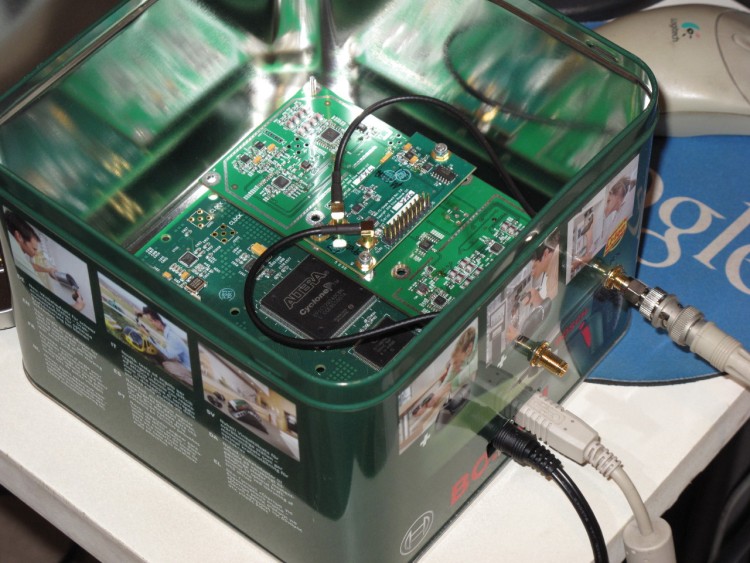
The Software Defined Radio (SDR) I currently use is the Universal Software Radio Peripheral (USRP) 1 made by Ettus Research (in a custom housing!):
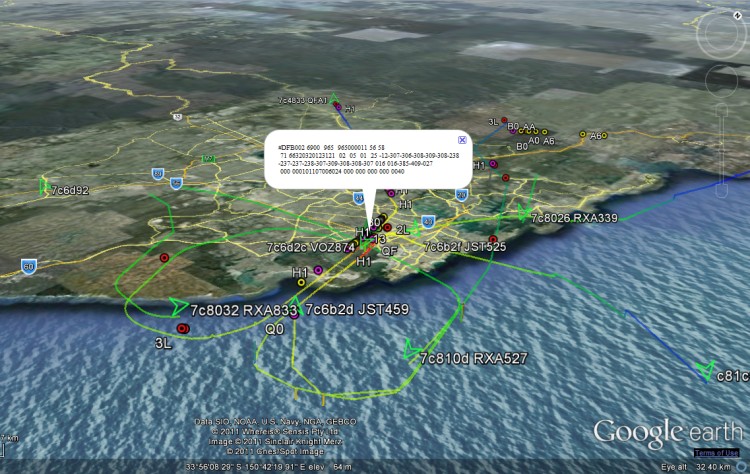
I've used it for several of my projects, including an aviation tracking system with a live streaming 3D Google Earth front-end:
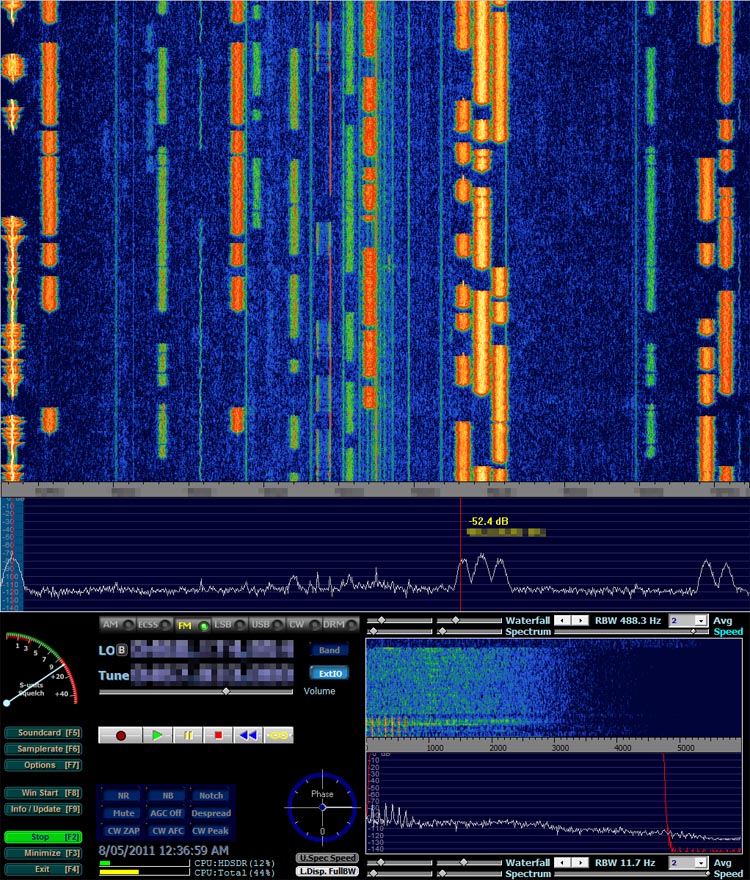
Demonstration of BorIP network streaming between HDSDR and GNU Radio using USRP 1:
Example of HDSDR using USRP:
Aircraft Tracking with Mode S: Modez & Aviation Mapper
Sun, 17/10/2010 - 15:50 — balintAviation Mapper is LIVE! Click here to use it.
The Aviation Mapper launch video
This project is a completely home-grown implementation of an aircraft tracking system using Mode S messages received on a Universal Software Radio Peripheral (USRP) from Ettus Research. The system comprises of a software-defined baseband decoder, a GUI front-end and a real-time (smooth) JavaScript-enabled Google Earth feed.
For the Mode S/aviation/RF enthusiast: If you are interested in various notes, diagrams and screenshots that are more technical than these series of pages, please check out the dedicated page on my wiki as well.
Modez, Aviation Mapper and Software Defined Radio featured in GQ Australia (April/May)!
Screenshots from the GUI front-ends:
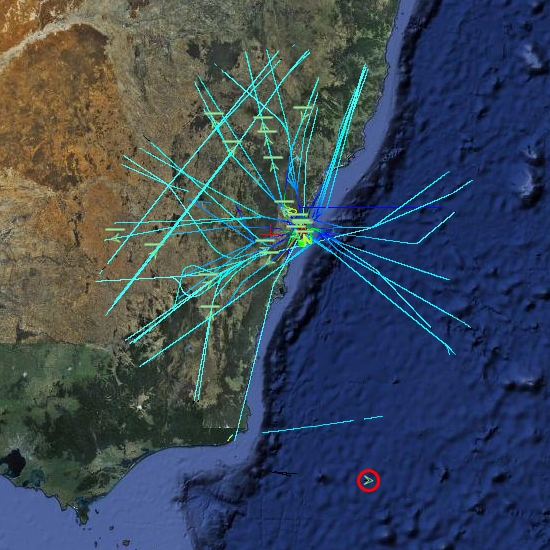
A plane at 514 km, with trails left behind showing flight corridors
Looking at an angle at Sydney Airport, with planes landing on overlapping approach trails.
ACARS messages shown spatially as coloured dots with message label and content in balloon pop-up.
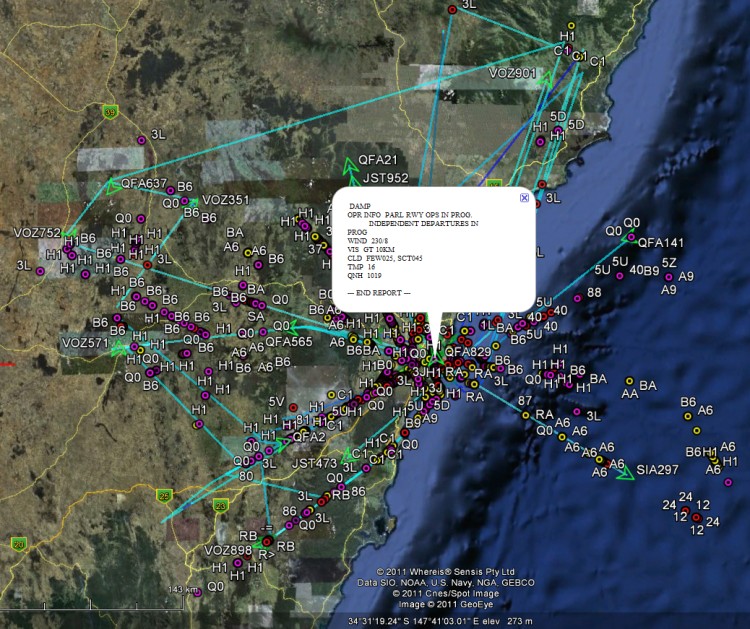
Spatial representation of ACARS message transactions building up over half a day
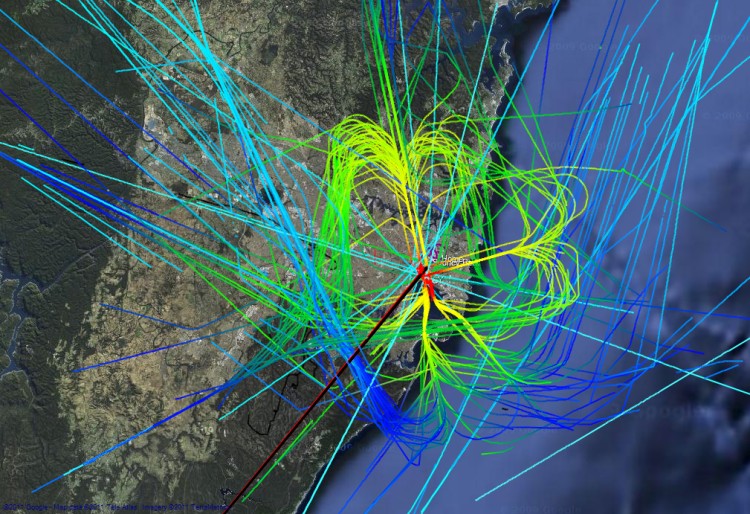
Accumulated flight paths over half a day
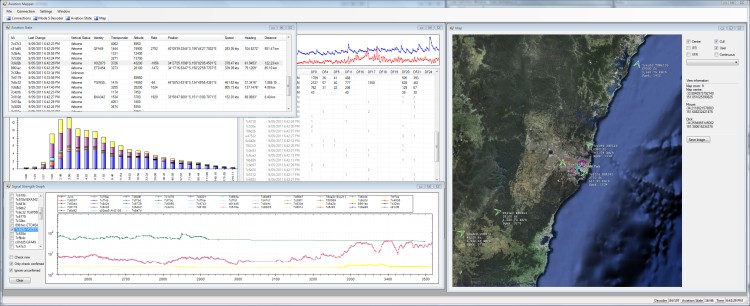
The Aviation Mapper desktop app
Australian Geographical RadioFrequency Map
Tue, 15/06/2010 - 23:55 — balintRFMap featured in GQ Australia (April/May 2012)!
You can also have a listen to this podcast of a radio interview I did on with Ian Woolf on 2SER:
"Balint Seeber Mashed Up Radio"
UPDATE: I have written an extensive guide with plenty of screenshots explaining how to use the map to the full. The contents of the guide can be found to the left of this text (at the top of this page's left-hand column). Read it if you wish, or dive right in. Alternatively, open two tabs/windows and go through the guide while trying it out live.
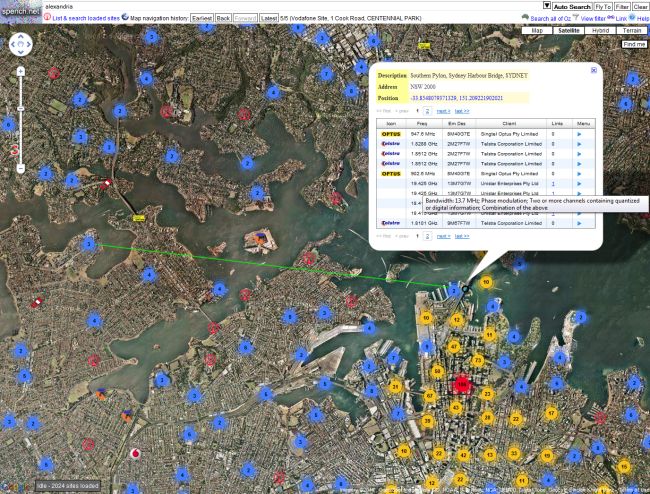
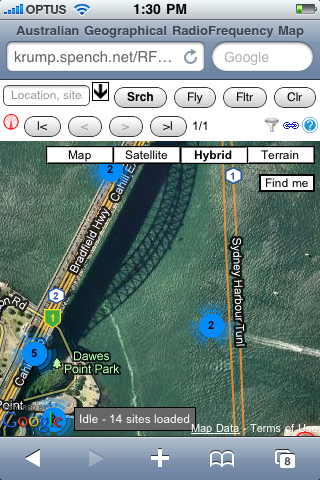
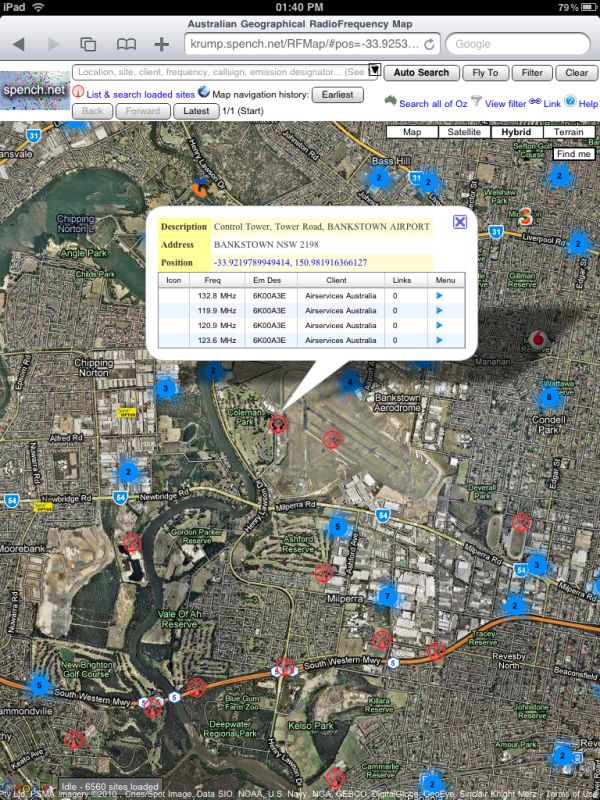
The Australian Geographical Radio Frequency Map is a site that overlays all registered RF transmitters on top of Google Maps. Generic antenna sites are shown with the red RF icon, while mobile base stations are represented by the carrier that operates from the site (often multiple carriers do, but currently the first is chosen when determining the icon). A mouse-over will give you the site's description, and a click will tell you who broadcasts from there, and at what frequencies. Much more is to come...
Although people by-and-large won't be terribly interested in the positions of every antenna in the country, they might be interested in checking how close they are to their nearest mobile base station, how good a carrier's coverage is in a particular area, and for prospective spectrum purchasers to assess possible interference, etc. However, having said all that, it is primarily in the ham spirit.
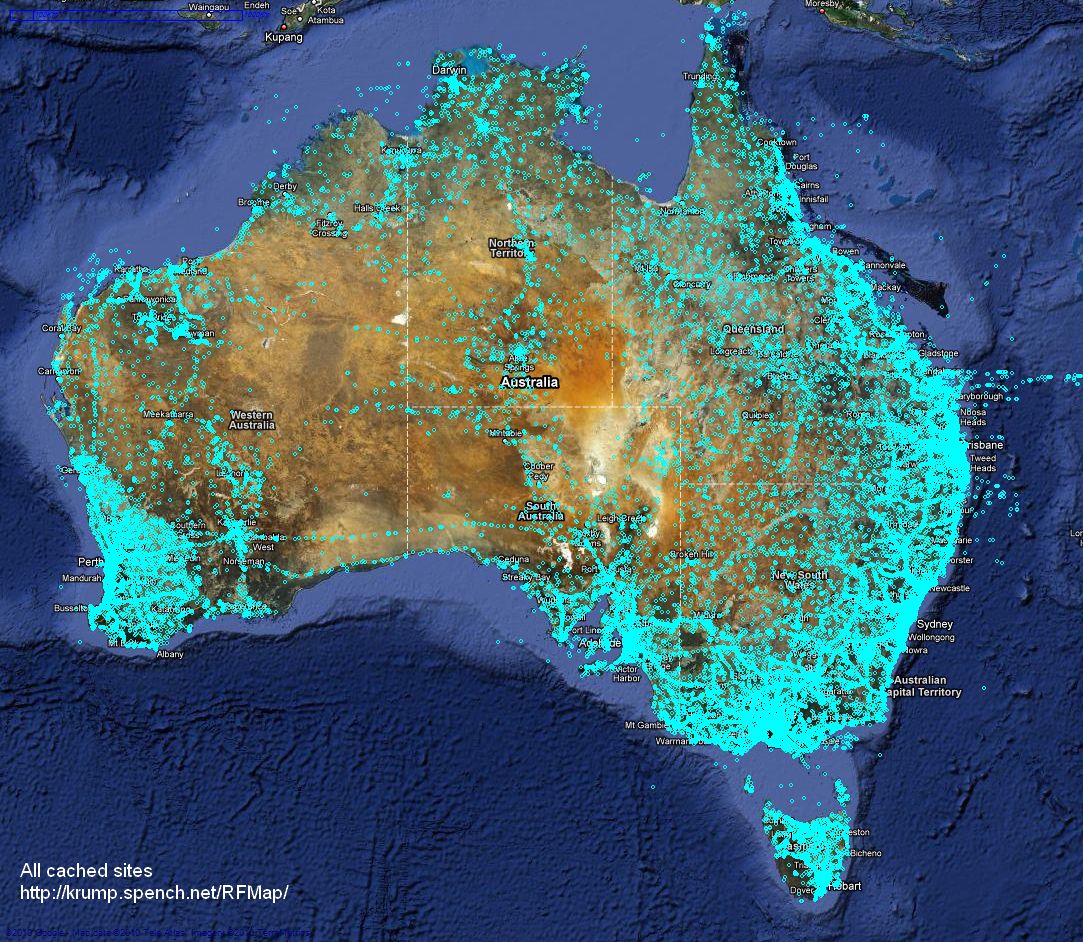
Here is every transmitter site cached in the database, which is fully searchable from the web interface (shown below) by location, site name, client details, frequency range, emission designator and callsign:
Here is a browser preview:
Here is what it looks like on the iPhone:
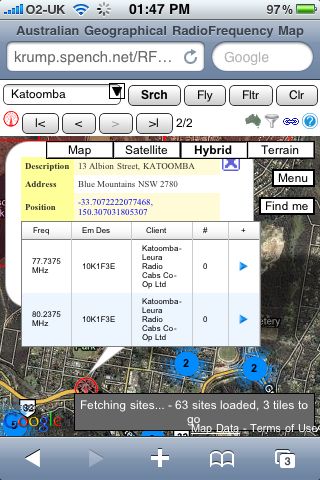
And on the iPad:
NISRP: the Non-Intrusive Song Rating Plugin for Winamp and iTunes
Thu, 04/03/2010 - 18:39 — balint| UPDATE: NISRP has now been added to the offical Winamp plugin catalogue! |  |
More information is available on my wiki.
Geolocation Experiment using the Mobile GSM Cellular Network
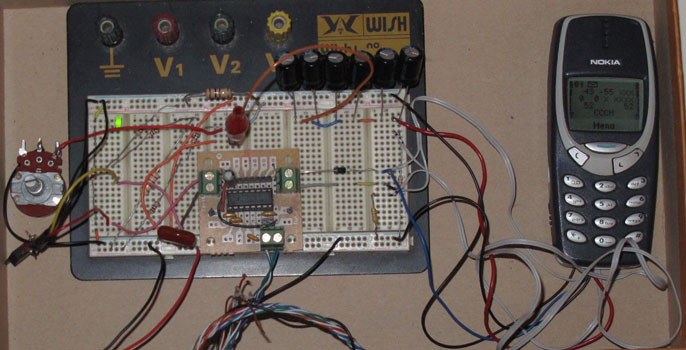
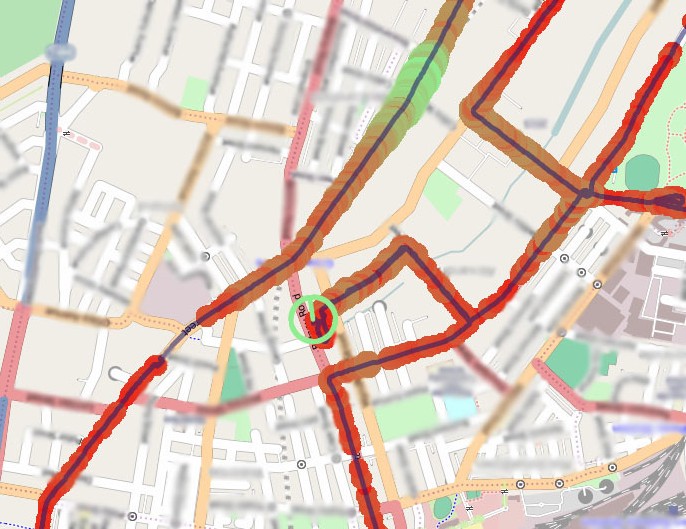
Tue, 23/02/2010 - 12:49 — balintThis experiment involved acquiring CellID and signal strength information from the GSM cellular network, tracking one's position while acquiring this data, and finally presenting it nicely. It is summarised in the following pictures (full details are described in the sub-sections found top-left):
Mapping position and signal strength measurements:
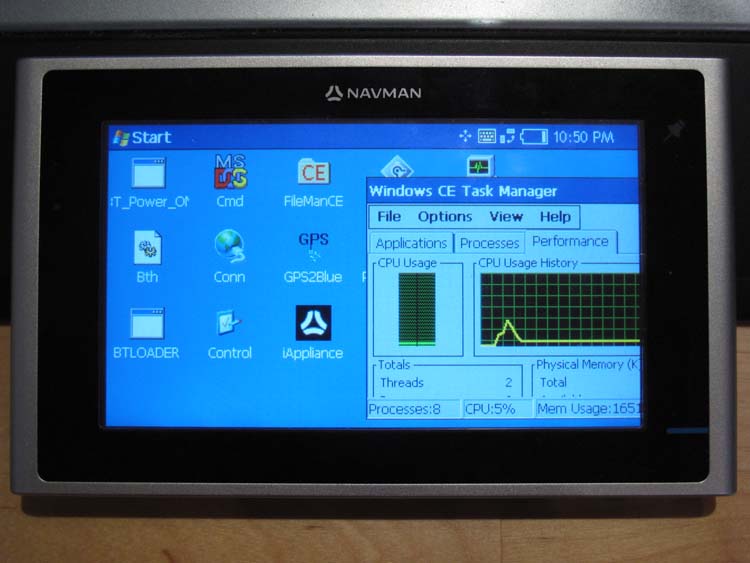
Turning the Navman S150 into a Bluetooth GPS receiver
Wed, 27/01/2010 - 14:18 — balintNavman GPS receivers, and the like, are great, until you actually want to use their received GPS data on a computer in real-time. Luckily there are plenty of resources to do this (NavmanUnlocked, the forum, MioPocket, GPSPasSion and GPSUnderground). In addition, I recommend SiRFTech for GPS testing. There are many tools available too, such as SSnap, which is extremely useful to track registry and filesystem changes. This is especially good when creating a one-off .reg file that you can import after a hard reset to restore the state of WinCE (in particular Bluetooth pairings).
Here, I give a quick guide to turning a Navman S150 into a Bluetooth GPS receiver that one can use with gpsd on a Bluetooth-enabled computer.
Behold the trusty S150 running WinCE Core 5 and PNADesktop (which is launched from \Program Files\Navman\appstartupsec.ini - the other apps, e.g. SmartST, are manually disabled):
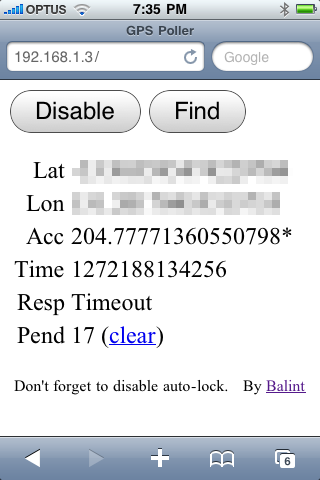
Making your iPhone look like a NMEA GPS receiver with gpsd and WiFi or Bluetooth
Wed, 27/01/2010 - 12:36 — balintTRY IT OUT: If you wish to test the front-end interface on your mobile device, click here and tap 'Find' (not 'Enable'). This is handy if you want to check how well your location service is working, and to get raw lat/lon values! Please note: this will not allow you to send the position updates to your computer - this is purely for your testing only.
UPDATE 2: I have enhanced the web interface further so it supports time-outs and the ability to clear the update backlog that is accumulated following a timeout (see new screenshot below). Thank you to Ryan K for additional testing.
Unfortunately there appears to be a bug that is manifest under Linux: if gpsd is run with no clients connected and updates are sent from the phone, the script will lock up when attempting to send updates to gpsd after an arbitrary period of time. In the short term, this can be fixed by connected to gpsd and sending it a command (e.g. the 'watch' instruction). If a client is connected to it (which should be the case in nearly all circumstances) this doesn't seem to happen. This behaviour has not been seen under Windows.
Preliminary tests on Mac OS X are reported to be successful. If installing gpsd via a package manager, be sure to disable auto-startup (via init.d scripts and/or hotplug, etc) otherwise the gpsd instance launched by the Python script will not be able to bind to the normal listener port and you will be left wondering why you're not getting any data (as you'll be connected to the wrong gpsd instance).
UPDATE 1: I have uploaded a new version of the package (new Python and HTML). The new features include:
- asynchronous updates (no more locking up Safari)
- batching of updates (which should solve the Bluetooth problem described below), and
- filtering of duplicate updates (you will see an asterisk * next to the 'Acc' value, as in the screenshot).
Many thanks to 'gabe' for testing! Also, please be aware that the HTTP server opens files from the current working directory of the Python process. If you're seeing 404s then your current directory is probably not the same as where the script is (you can check the current directory when it is printed out upon starting the Python script).
I was suprised to find that seemingly none of the dedicated GPS iPhone apps could stream your current location to a computer. Therefore I knocked up this simple solution, which uses a Python script to wrap up gpsd and make it think it's connected to a real GPS receiver that outputs NMEA sentences. The receiver is of course the iPhone, which uses Javascript (to retrieve location) and basic AJAX (to send the results to the Python script) all running in Safari. The page is served from Python (running on a computer) via WiFi or a tethered connection (Bluetooth or cable). Please note that Python and gpsd are not running on the iPhone - only the web browser is. This is what you would see in Safari once the page has been loaded from the Python web server:
Patch for Linux Kernel Orinoco WiFi driver re-enabling original monitor mode with Prism II headers & packet power levels
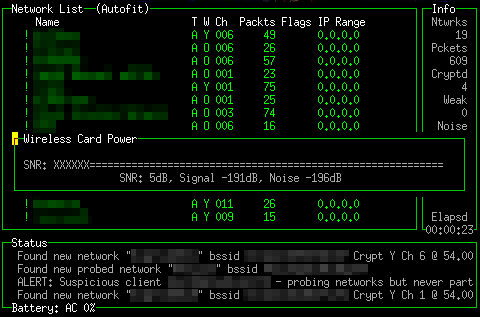
Tue, 01/12/2009 - 11:18 — balintI was disappointed to find that the improved Linux Kernel Orinoco drivers do not report power levels via the standardised iwconfig 'monitor mode'. When the iwpriv 'monitor' mode was available, Prism II packets were sent from the driver to userland. These packets contained extra information reported by the hardware, such as per-packet signal & noise levels. I think having SNR measurements is one of the most useful features of Kismet, as it allows to you roughly determine the direction to a network based on signal power. Therefore I took the old-style monitor mode code and transplanted it into the modern driver (in kernel version 2.6.23.9). Now both monitor modes are accessible. Kismet picks the older one (Prism II packets) first, before trying the standardised mode.
Without too much fuss, the Kismet SNR meter is back - for example:
TokyoCabinet and TokyoTyrant DLLs for Windows MSVC
Fri, 16/10/2009 - 14:01 — balint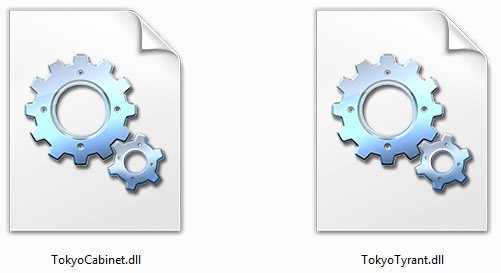
TokyoCabinet (TC) is a wonderful open-source key-value pair database library by Mikio Hirabayashi, part of his TokyoProducts suite. TokyoTyrant (TT) is the networked portion of it (i.e. the database client & server). Since I am working on a project in Visual Studio under Windows and set out to use TC over the network, I needed to access the TT client API with MSVC.
Presentation of the Eyesweb Visual Programming Language at Dorkbot Sydney
Wed, 18/03/2009 - 17:38 — balintI a gave presentation at Dorkbot Sydney (24/02/2009) on the Eyesweb Visual Programming Language. It was an overview that exemplified some cool things you could do using live video, iPhones (with accelerometers), mrmr, OSC, and multiple Eyesweb nodes on a network.
My Contribution
Thu, 10/01/2008 - 12:33 — balintI wrote the following major system components:
- 1) A multi-threaded, load balancing MPEG-2 video decoder engine, featuring:
- Automatic memory management & caching
- Level-Of-Detail support and seamless transitions
- Continuous playback or shot looping (given cut information)
- Asynchronous loading and destruction
[Initial tests indicate it can play over 500 videos simultaneously on one computer (with 2 HT CPUs and 1GB of RAM at the lowest LOD). TVisionarium is capable of displaying a couple of hundred videos without any significant degradation in performance, but there's so much still to optimise that I would be surprised if it couldn't handle in excess of 1000.]
With my latest optimisations, TVisionarium is able to play back 1000 shots simultaneously!
While profiling the system, total CPU usage averages around 90-95% on a quad-core render node!
This indicates that those optimisations have drastically minimised lock contention and support far more fluid rendering.
Have a look at TVis in the following video:
This is an in-development 'video tube' test of the video engine:
(Watch it on youtube.com to leave comments/rate it if you like.)
Video Behind the Scenes
Thu, 10/01/2008 - 12:22 — balint1000 videos can be seen playing back simultaneously!
This is a preview video produced by iCinema:
Events
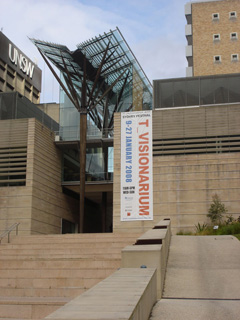
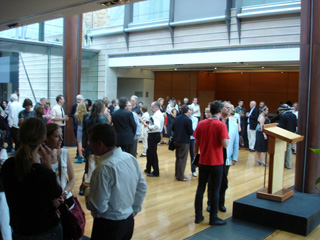
Thu, 10/01/2008 - 12:07 — balintT_Visionarium was officially launched on 08/01/2006 as part of the 2008 Sydney Festival. Please read my blog post about it. Here are some pictures:
The festival banner:
Crowd before the speeches:
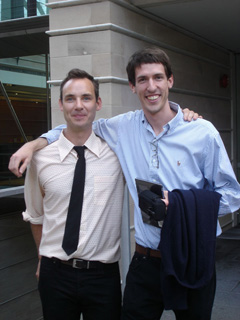
The digital maestros (Matt McGinity & I):
Appearances in TV News
Thu, 10/01/2008 - 11:40 — balint09/01/2007 - SBS World News:
August 2006 - Channel Nine News:
T_Visionarium (AKA Project TVisionarium Mk II)
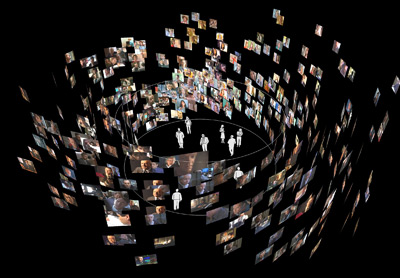
Thu, 10/01/2008 - 11:35 — balintThis series of pages summarises the contribution I made to TVisionarium Mk II, an immersive eye-popping stereo 3D interactive 360-degree experience where a user can search through a vast database of television shows and rearrange their shots in the virtual space that surrounds them to explore intuitively their semantic similarities and differences.
It is a research project undertaken by iCinema, The iCinema Centre for Interactive Cinema Research at the University of New South Wales (my former uni) directed by Professor Jeffrey Shaw and Dr Dennis Del Favero. More information about the project itself, Mk I and the infrastructure used, is available online.
I was contracted by iCinema to develop several core system components during an intense one month period before the launch in September of 2006. My responsibilities included writing the distributed MPEG-2 video streaming engine that enables efficient clustered playback of the shots, a distributed communications library, the spatial layout algorithm that positions the shots on the 360-degree screen and various other video processing utilities. The most complex component was the video engine, which I engineered from scratch to meet very demanding requirements (more details are available on the next page).
Luckily I had the pleasure of working alongside some wonderfully talented people: in particular Matt McGinity (3D graphics/VR guru), as well as Jared Berghold, Ardrian Hardjono and Tim Kreger.
How to recover a RAID 0 disk array after losing the array’s metadata
Wed, 14/11/2007 - 10:55 — balint(unfortunately this will not help if you lose an entire disk*)
The vast majority of the information presented here I inferred from my own recovery experience – it may be inaccurate or utterly wrong, so use it at your own risk. I do not take any responsibility whatsoever for your data after you apply any of the knowledge described in this document.
RAID 0 (AKA ‘striping’) creates one logical disk out of multiple, identical physical disks. The total capacity is the sum of the individual disks. It offers higher data throughput, but does not actually provide any data redundancy whatsoever. Each disk is proportioned into many identically-sized ‘stripes’, which form a continuous chain when seen from the point of view of the whole logical disk. The stripes are shared in such a way that the first physical disk contains the first stripe, the second physical disk the second, and so on, until we return to the first physical disk where the count continues. The RAID controller stores metadata in track 0 of the physical disk(s) that dictates the configuration of the RAID array. If this metadata is corrupted or lost, the logical RAID 0 disk will be lost, the controller will treat the physical drives as individual, separate logical drives and the data will be inaccessible because it is split over multiple discs. This guide attempts to show how one can recover the logical RAID 0 disk when little information is know about physical & logical disk parameters, and partition & file system information a priori.
Correctly lit, textured cloth: Torn Up
Sat, 06/10/2007 - 16:20 — balintI fixed the lighting calculations and thought I would use a built-in texture:
Paused Tornado Simulation Fly-thru
Sat, 06/10/2007 - 16:16 — balintHere is a fly-through of the standard tornado simulation with some pretty filaments:
DS with Correct Physics!
Sat, 06/10/2007 - 16:08 — balintShortly after the presentation day, I ripped out the original physics code that someone (who shall not be mentioned!) had written in the minutes prior to the presentation and replaced it with more 'physically correct' code:
Physically Controlled LED Display
Sat, 06/10/2007 - 15:59 — balintA little something I made in my spare time:
(More details coming later...)
Atmel at76c503a Wireless USB Adapter
Mon, 13/08/2007 - 11:53 — balintThis started with my desire to build a Woktenna.
Of course you can't very well put a PCMCIA wireless card at the focal point of a cooking wok!
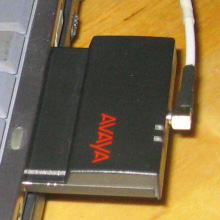
So the alternative is using a USB WiFi adapter that can hang on the end of a USB extension cable and
introduce minimal analog signal loss and USB is digital!
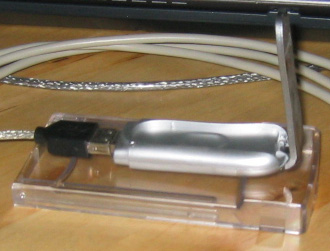
Despite the fact is says "Linux compatible" on the box, it wasn't immediately possible to do what I wanted to do,
which is: monitor mode!
With monitor mode, I'd be able to point the woktenna around and pick up the beacon frames of distant APs.
I found two drivers available for this device:
one over at BerliOS,
and the other at SourceForge.
WiFi Antennas
Mon, 13/08/2007 - 11:37 — balintI have made the following WiFi antennas:
Cantenna
Made two, same design for both.
Gain is good: ~12dB.
 |
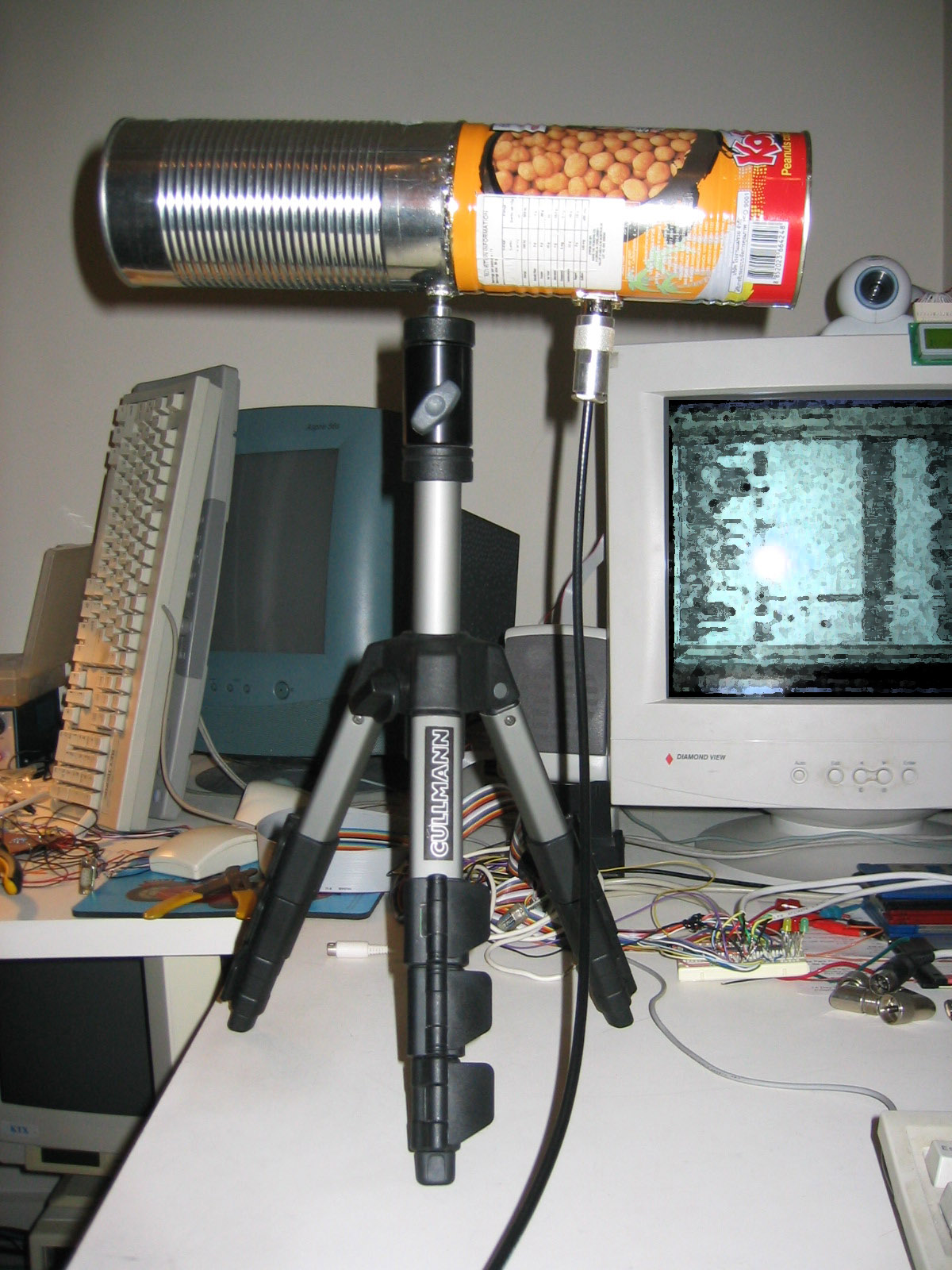 |
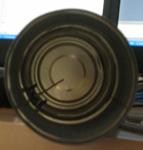 |
LED Display
Tue, 07/08/2007 - 12:18 — balintThanks to the generosity of Aras Vaichas, I came into possesion of an old (1992) 60x8 dual-colour LED display. As it was just the display itself (no manual, instructions, software, etc) I set about reverse engineering the board. Using my multimeter I re-created the schematic for the board and found all the relevant datasheets online. Having figured out how to talk to the display, I interfaced it via the parallel port and wrote some control software for it. Once I could display various test patterns (multi-colours sine waves), I 'net-enabled' the software so that the display could be controlled over a network via UDP packets - the resolution is so low that the entire LED configuration fits into a single packet! Finally, I wrote a plugin for Winamp that streams the frequency analysis of the playing song to the display, which produces results like this:
GPS-controlled Autonomous Earth Driver
Mon, 30/07/2007 - 21:39 — balint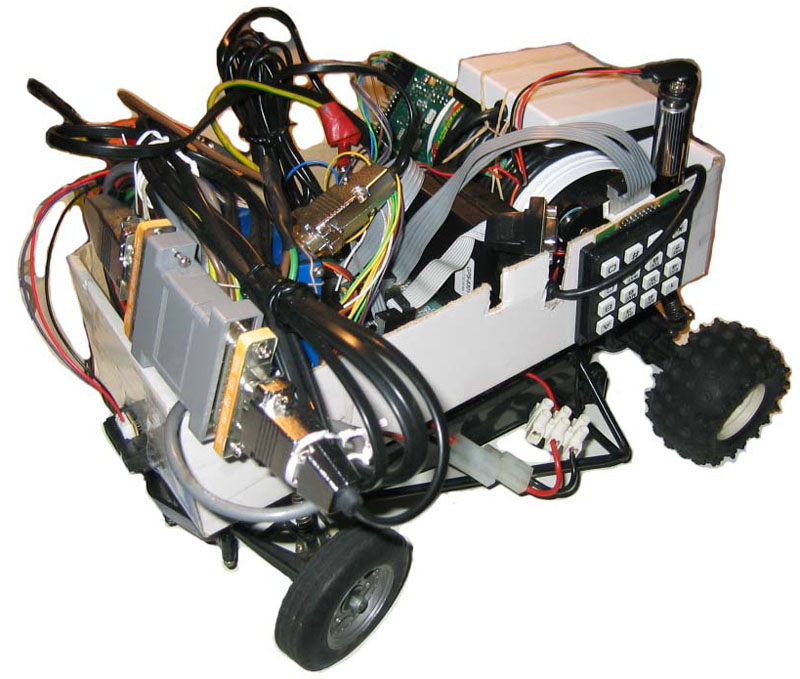
Simplified Makefile System
Mon, 30/07/2007 - 18:40 — balintWhen I first started developing on Linux and using Makefiles, I started with simple Makefile scripts and later built upon each preceding one. What eventuated is the attached set of files that should make compilation of multiple sources into a single target an easier exercise. There are, of course, many other alternatives, such as Automake, Bakefiles and CMake (all of which are far more sophisticated).
Genetic Programming: 3D Visualisation in Python
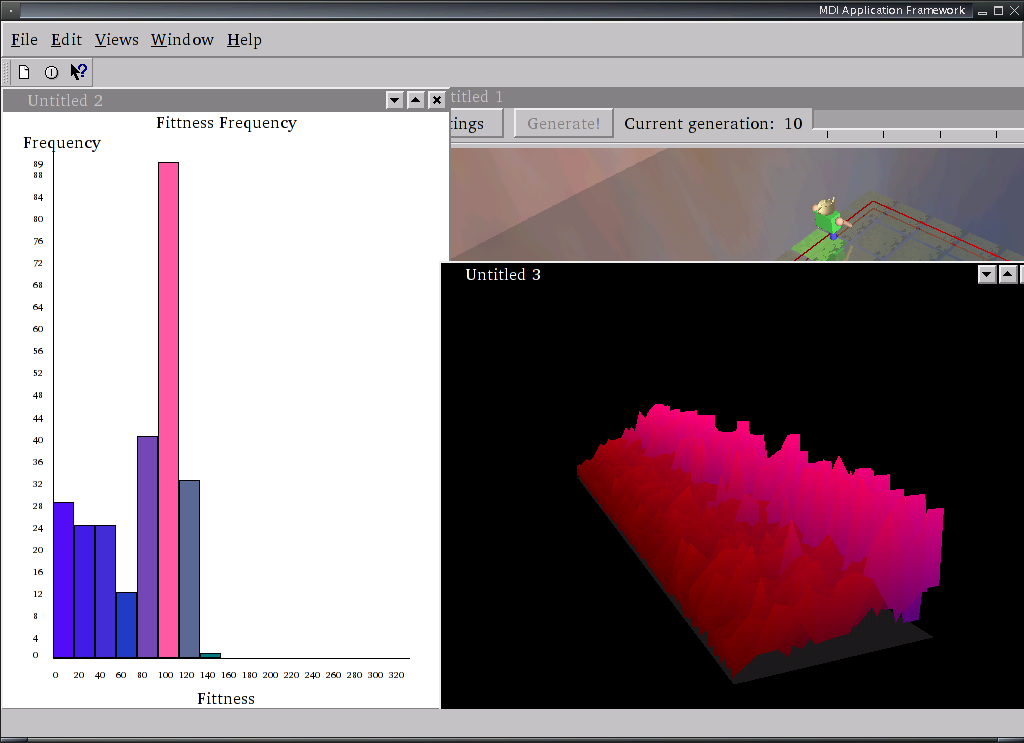
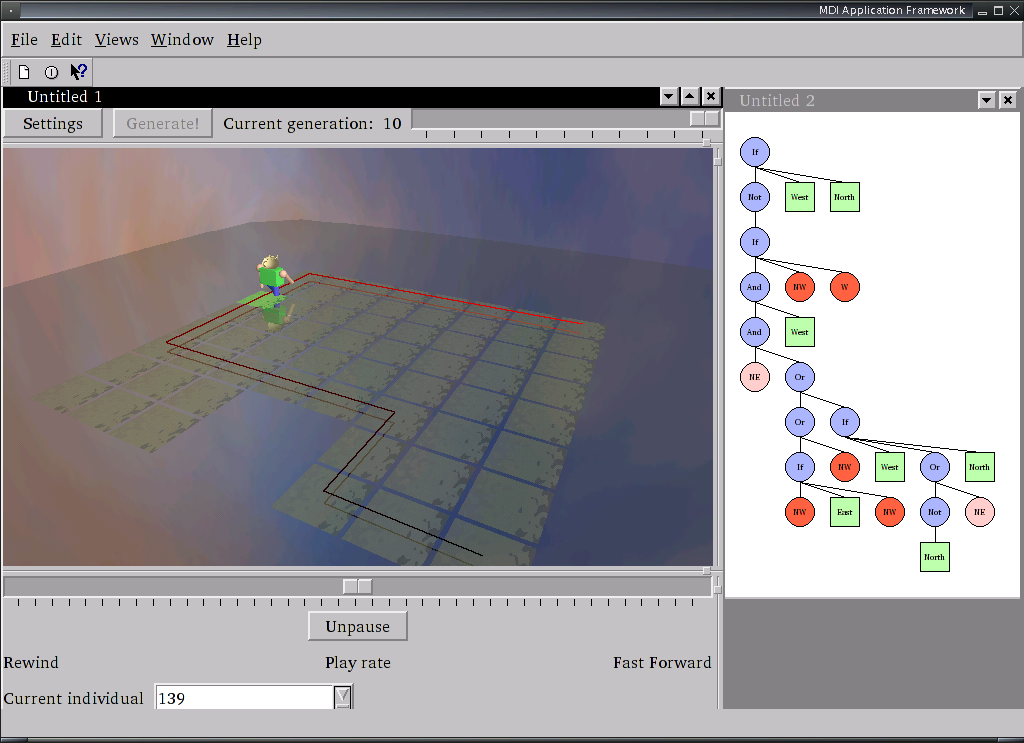
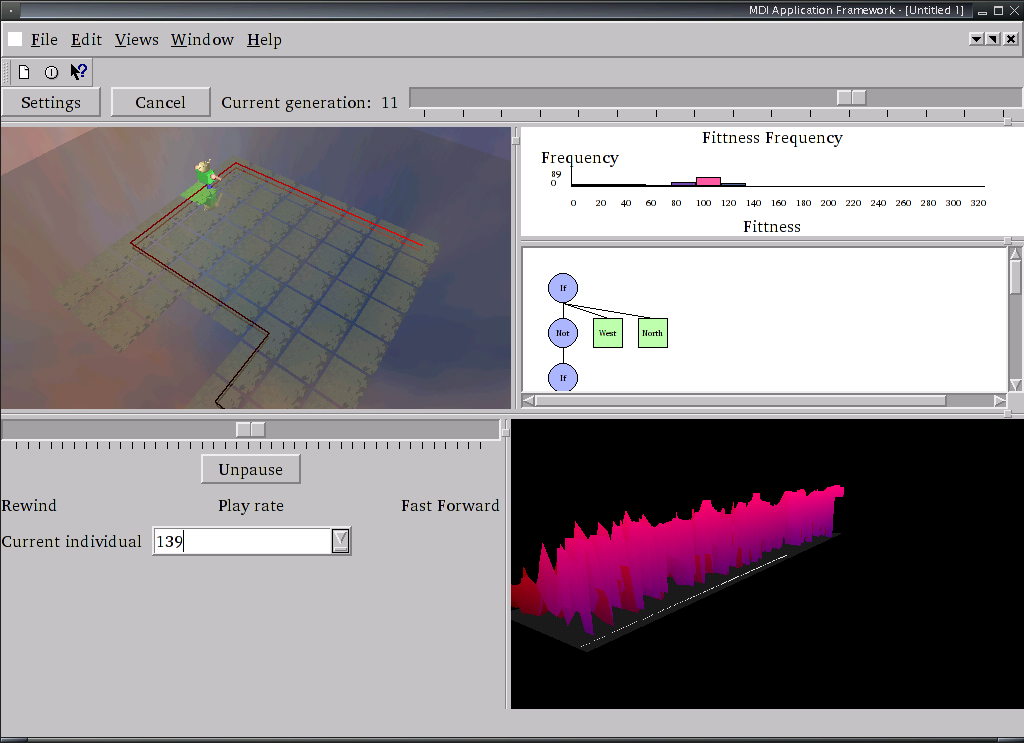
Mon, 30/07/2007 - 17:36 — balintThis is a GUI frontend to the genetic programming assignment given in this subject. The aim is to evolve a wall-following robot. The program provides multiple visualisations of the process. It was written with Janice Leung - many thanks for the beautiful widgets! Developed on (but not for) Linux using Python and its bindings & add-ons: PyQt, PyOpenGL, PIL and psyco. README available. It contains more information about the code used to render the robot & world.
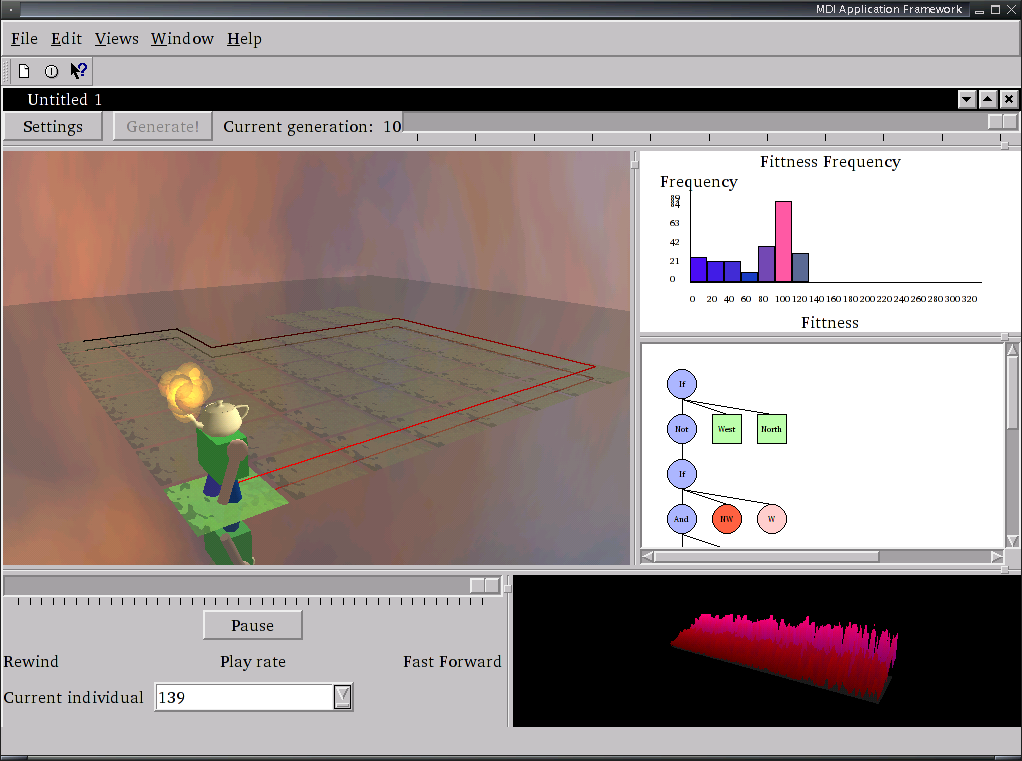 |
 |
 |
 |
Standard Linux Error Messages
Mon, 30/07/2007 - 16:07 — balintEver wanted to know what a particular error code means when you are left without the informative error message text?
Broadcast Flooder & Network Bandwidth Hammer
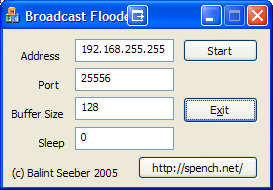
Mon, 30/07/2007 - 15:54 — balintMy friend Rafal Kolanski and I decided one night to put our gigabit network cards to the test and measure how quickly a user-space program could generate packets and how many would be discarded before the destination's NIC would receive them. Therefore we wrote a small Linux program to complement my Broadcast Flooder, which I had previously written to test other aspects of my network.


Popular content
Today's:
All time:
- About
- How to recover a RAID 0 disk array after losing the array’s metadata
- Making your iPhone look like a NMEA GPS receiver with gpsd and WiFi or Bluetooth
- Aircraft Tracking with Mode S: Modez & Aviation Mapper
- Australian Geographical RadioFrequency Map
- Windows Side-by-Side Assemblies (WinSxS)
- Dual monitor Quake III
- Update
- Determine the order of the physical disks in the array
- Tearable Cloth
Last viewed:
- Restore the MBR and partition information, therefore restoring the file system
- Appearances in TV News
- TVisionarium Mk II (AKA Project T_Visionarium)
- T_Visionarium (AKA Project TVisionarium Mk II)
- spench.net
- About
- My blog lives elsewhere...
- Update
- Presentation of the Eyesweb Visual Programming Language at Dorkbot Sydney
- Presentation at Dorkbot
AntiSpam spam counter
